Skip to content

Time capture and billing for law firms

Bill the time your attorneys already worked

eLegal Stack turns drives, voice notes and quick typed entries into time entries and suggests the client and matter. Anything it is unsure about waits for an attorney. Posted time becomes an invoice.

Setup is self-serve.Already have an account?Log in
Questions?info@no-bsm.com
  • Uncertain time never posts itself.
  • Row-level security in the database keeps each firm's records separate.
  • Export to CSV or LEDES 1998B any time.
  • Two-step sign-in with an authenticator app.

Where the time goes

Where billable time goes missing, and what catches it

The places a day's work slips off the timesheet, and the part of eLegal Stack built for each one.

  1. 1Capture it as it happens.
  2. 2A client and matter are suggested.
  3. 3You review what it is unsure about.
  4. 4Posted time becomes the invoice.

It is Friday at seven and I am rebuilding the week from my inbox and my memory.

Time is captured the day it happens and arrives with a suggested client and matter, so Friday is a review, not a reconstruction.
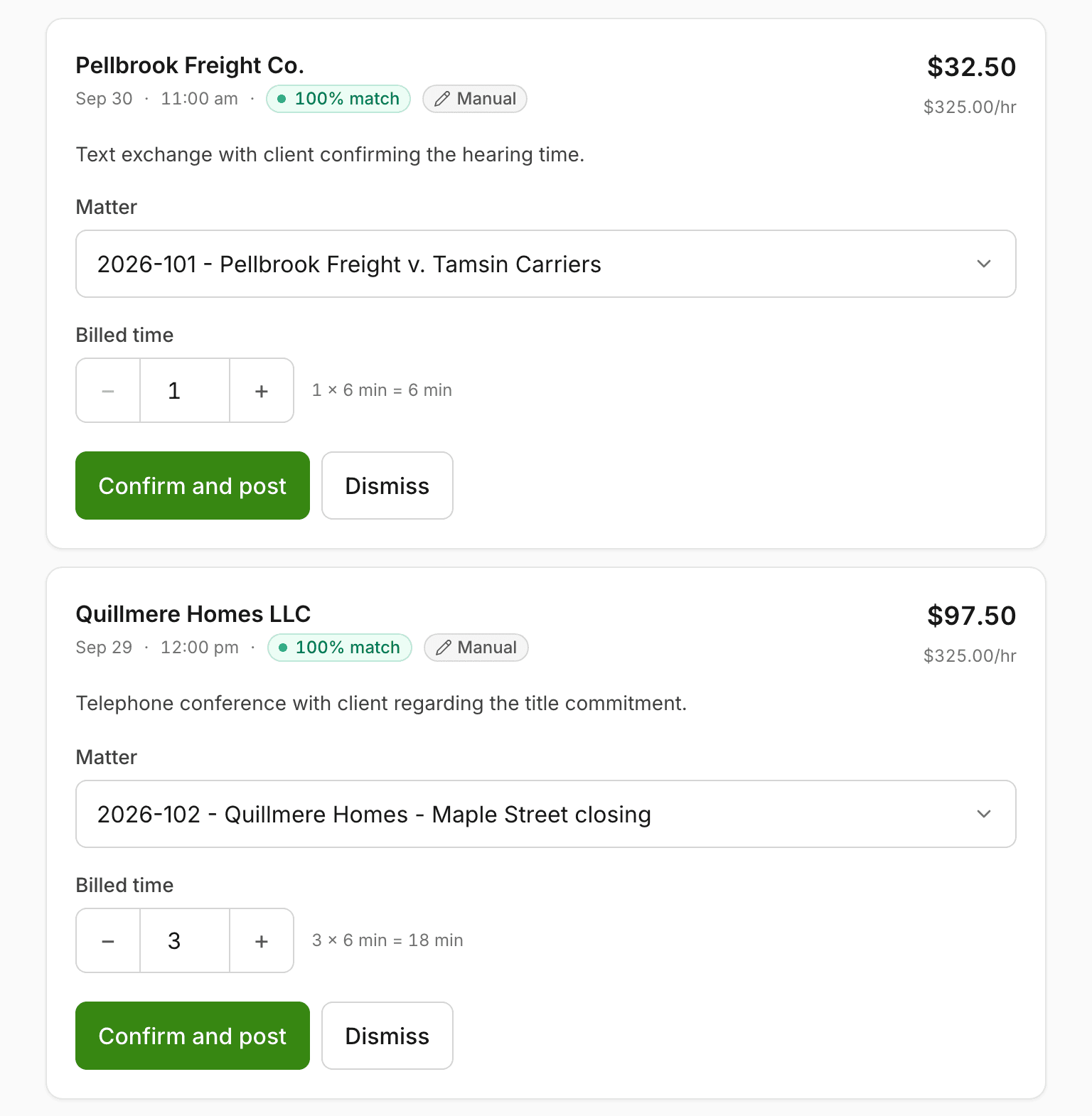
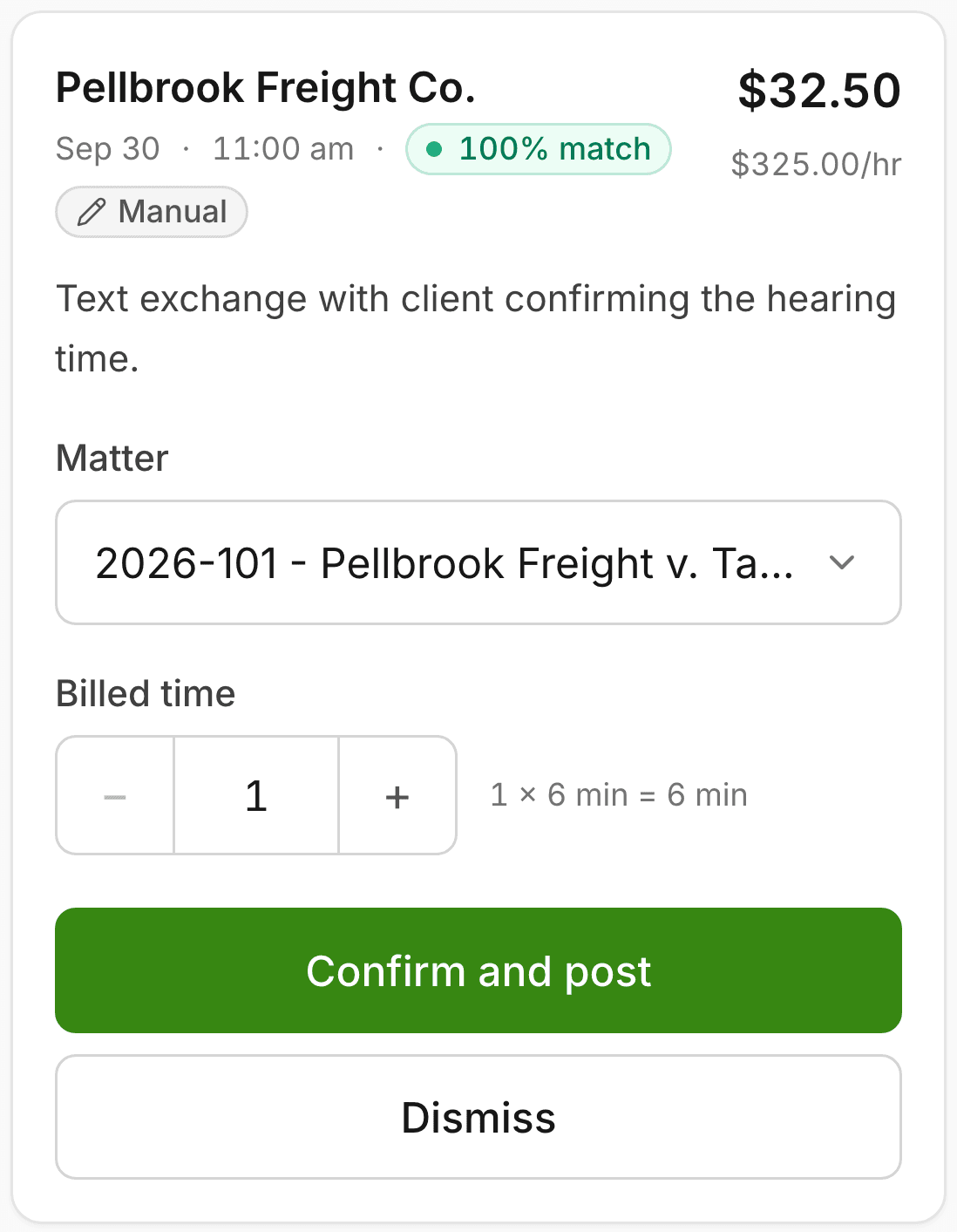
A Review queue card on a phone: a text exchange with Pellbrook Freight Co., 6 minutes at $325.00 an hour. One tap on Confirm and post posts it, and an Undo option appears.
  • The review queue holds what needs a person: low confidence, no matter, no rate or no time. The database, not just the screen, decides where each new entry lands.
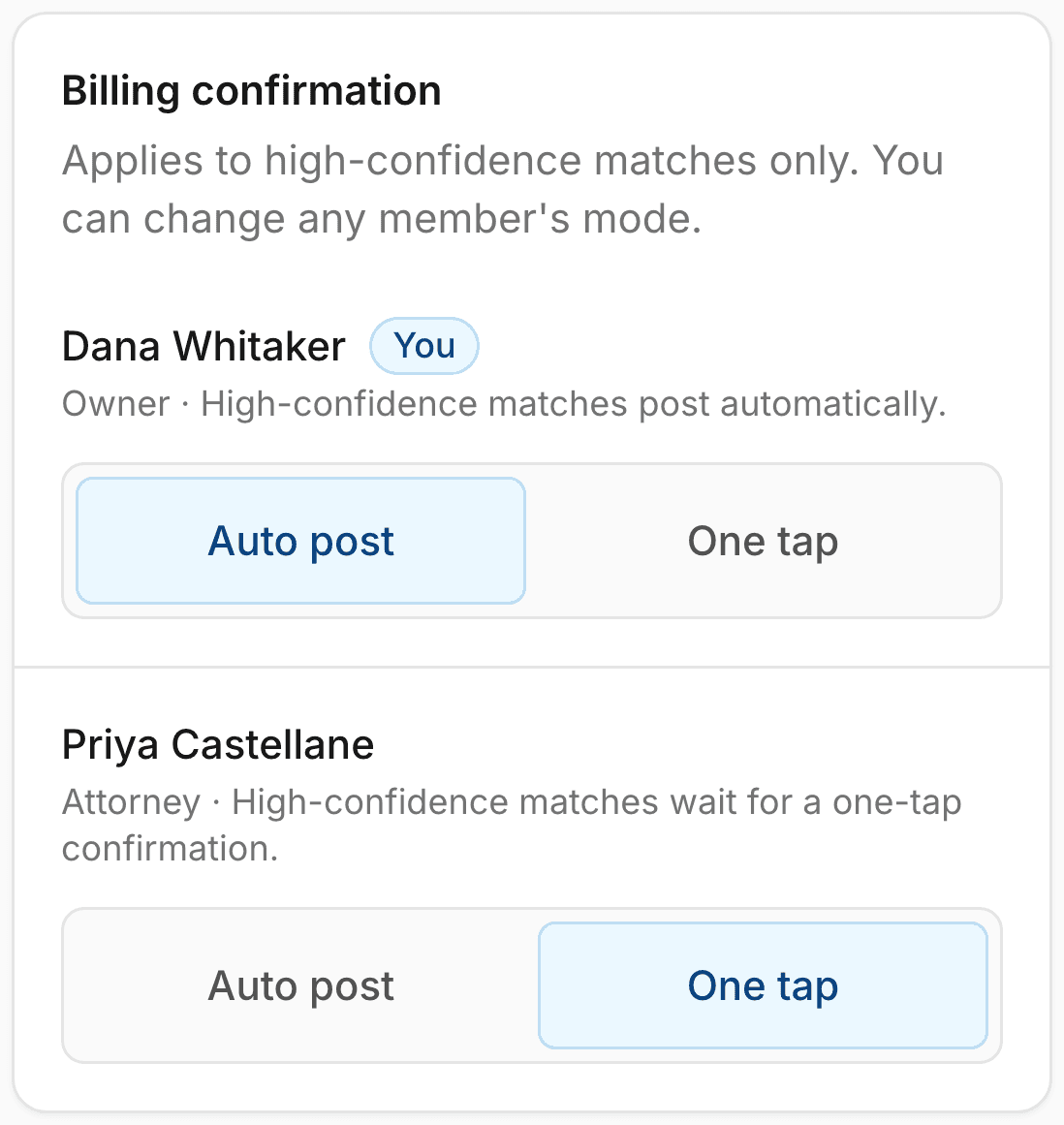
  • Each attorney chooses: confident entries post on their own, or wait for one tap.
  • Work through it one entry at a time, and undo a post or a dismiss.
A client called between hearings. Twelve minutes. By tonight it is gone.

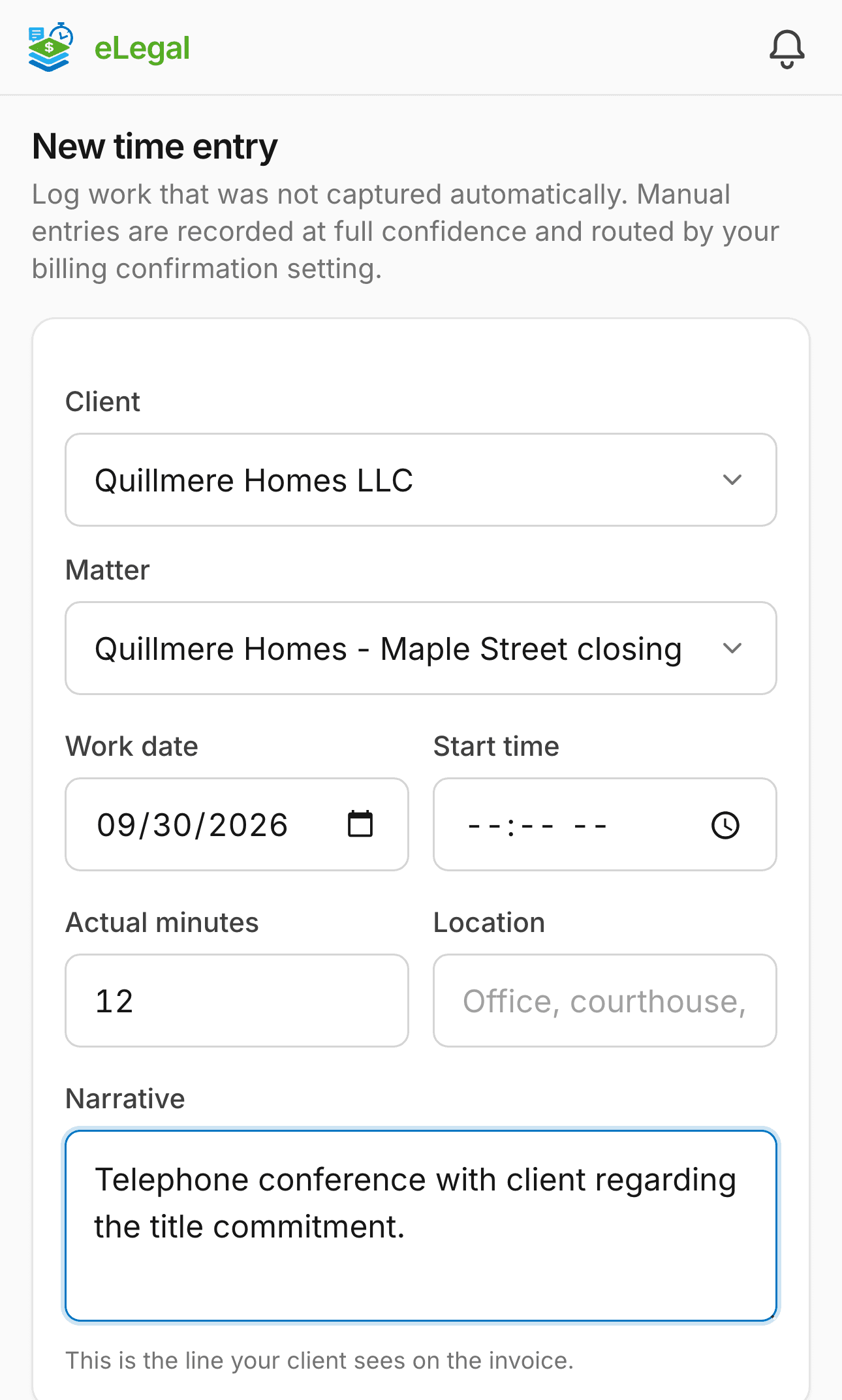
Log it from your phone before you pull out of the lot. It bills at your firm's rate, rounded to your firm's increment.

New time entry on a phone: a twelve-minute entry for Quillmere Homes LLC with the matter and narrative filled in
  • A typed entry takes the client, the matter, the minutes and a line of narrative, and routes by your confirmation setting.
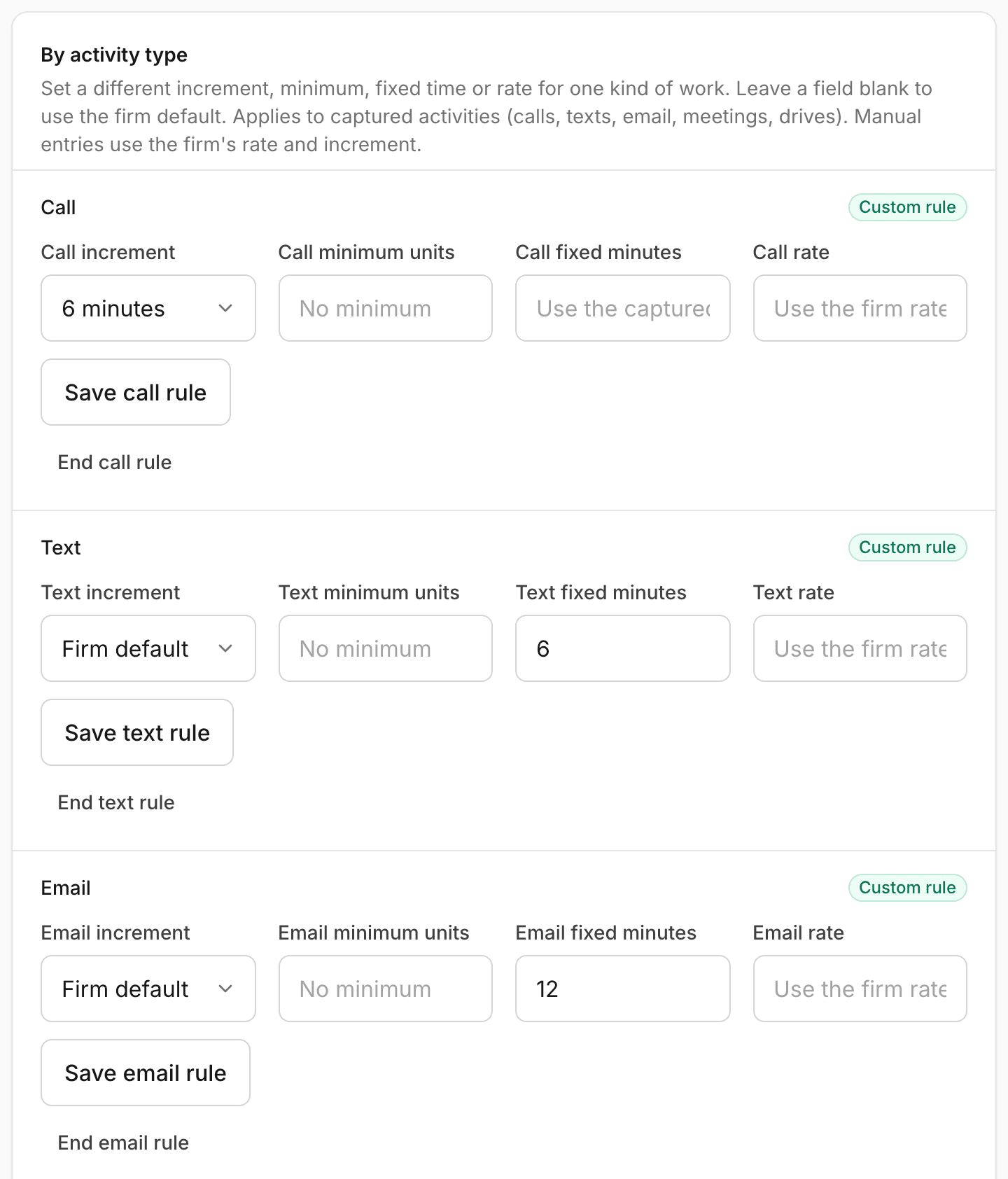
  • Captured work, like a drive, can carry its own increment, minimum, fixed minutes or rate by type. Typed entries use your firm's rate and increment.
  • Time rounds to your firm's increment of 6, 10 or 15 minutes unless a type rule says otherwise.

Forty minutes each way to the courthouse, and none of it on the bill.

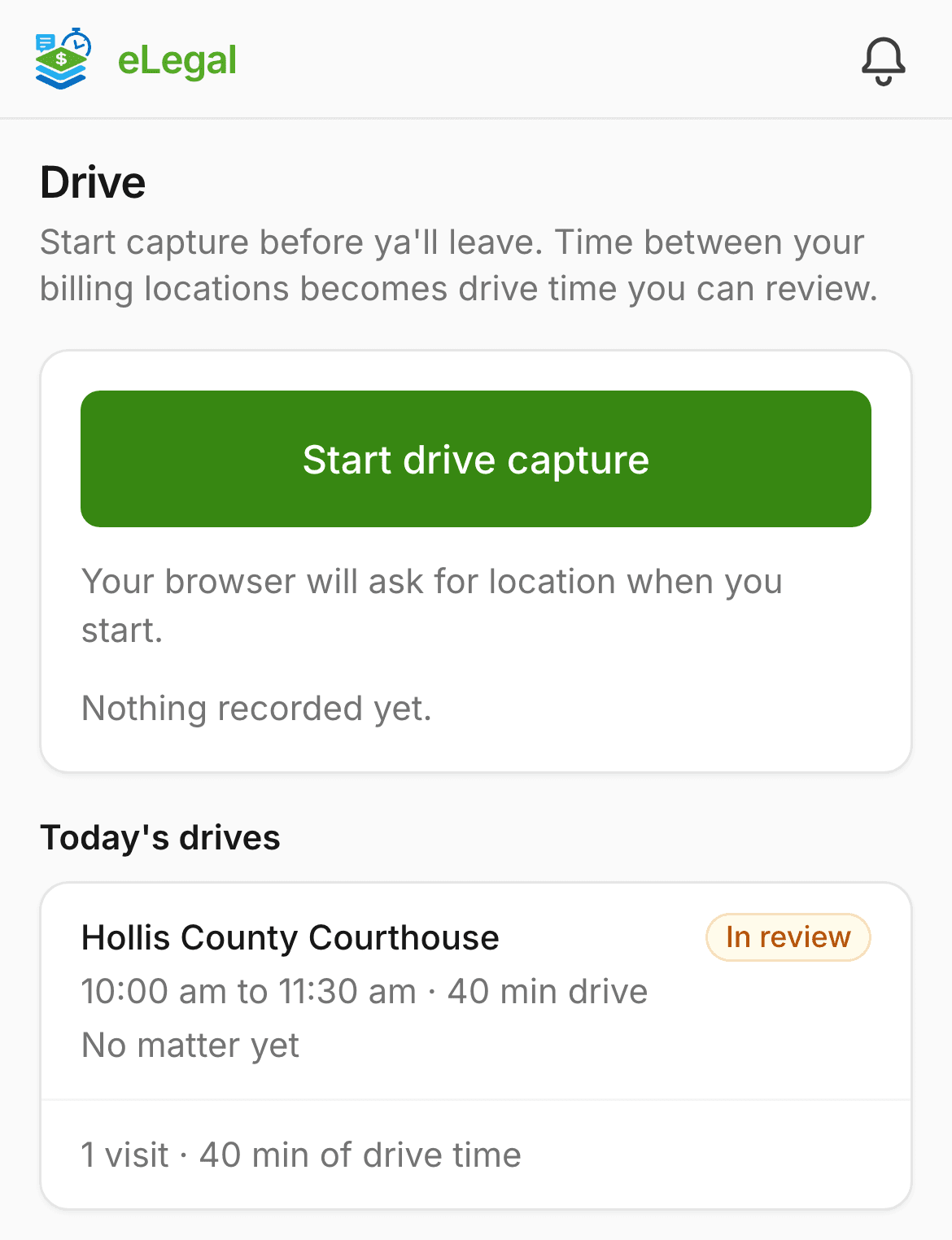
Start drive capture before you leave. Time between your billing locations becomes drive time you can review.

The Drive page on a phone: a trip to Hollis County Courthouse, 40 minutes of drive time, in review with no matter yet
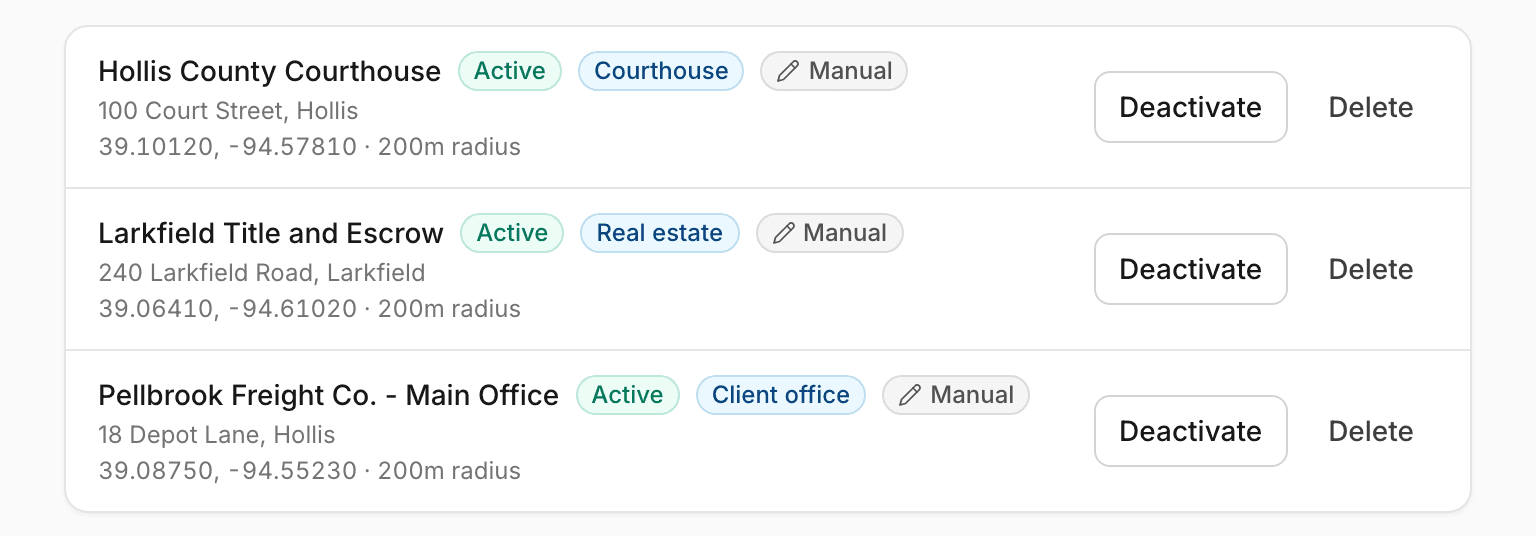
  • Save the places you drive to, like courthouses and title offices, as billing locations.
  • One trip to the courthouse is captured once, not once per matter. The drive waits in review, where you pick the matter.
  • Capture runs while the app is open on screen. Tracking with the phone locked needs a native app, and it is on the coming list.

I will write it up when I am back at my desk. Then I do not.

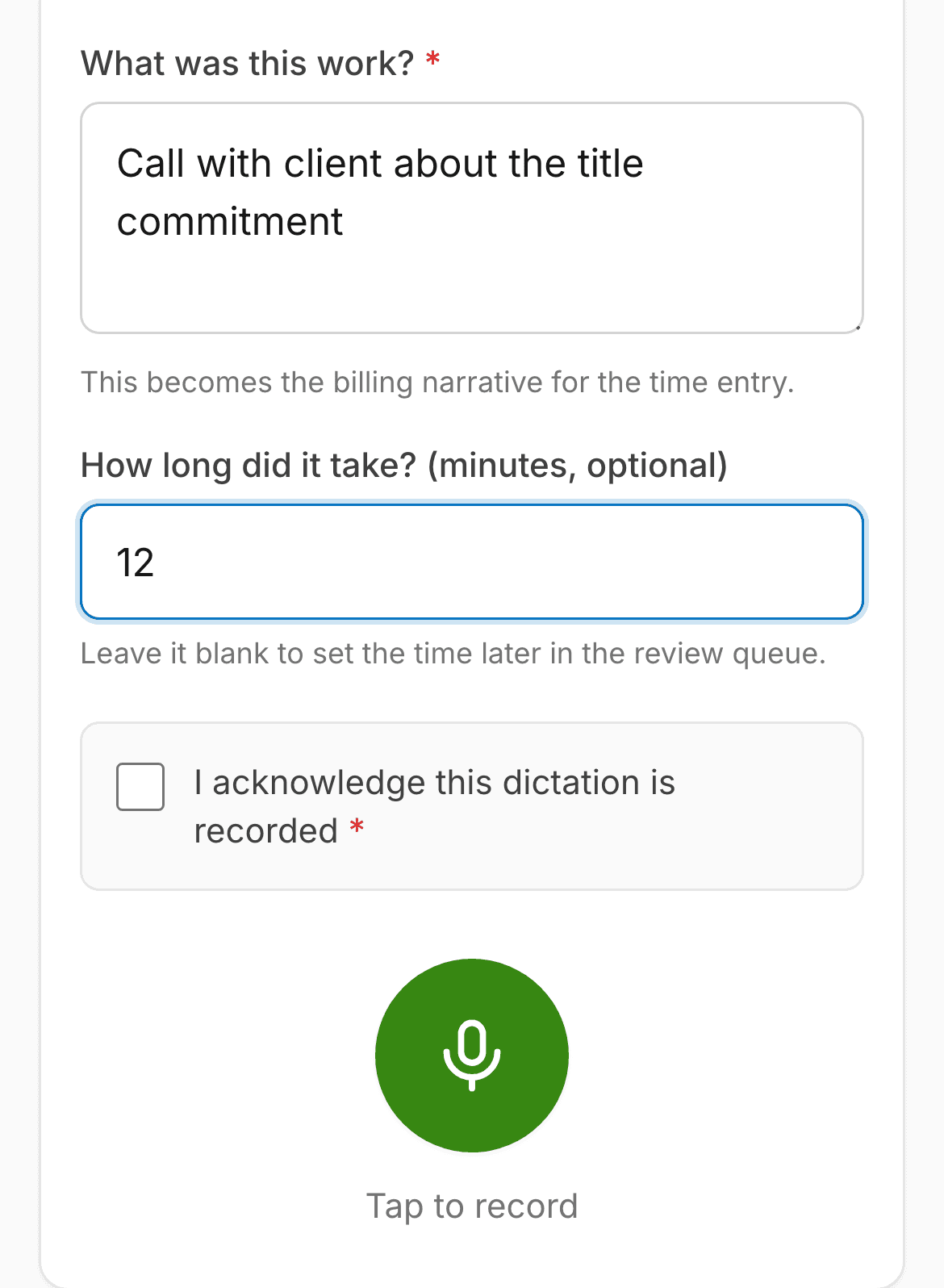
Tap record and say it. The recording is kept as evidence and the entry bills from your one-line summary.

The Dictate screen on a phone: a typed one-line summary, the minutes and the record button.
  • Record a quick memo for yourself, or a call with several people.
  • A multi-party recording plays a spoken consent notice and follows your firm's one-party or all-party rule. Under the all-party rule, if anyone declines, the audio is never uploaded and the refusal is kept on file.
  • The minutes billed are the minutes you state, never the length of the audio.

Every month-end I lose an afternoon turning timesheets into invoices.

Pick a client and a period. Their posted, uninvoiced time is already there, ready to bill.

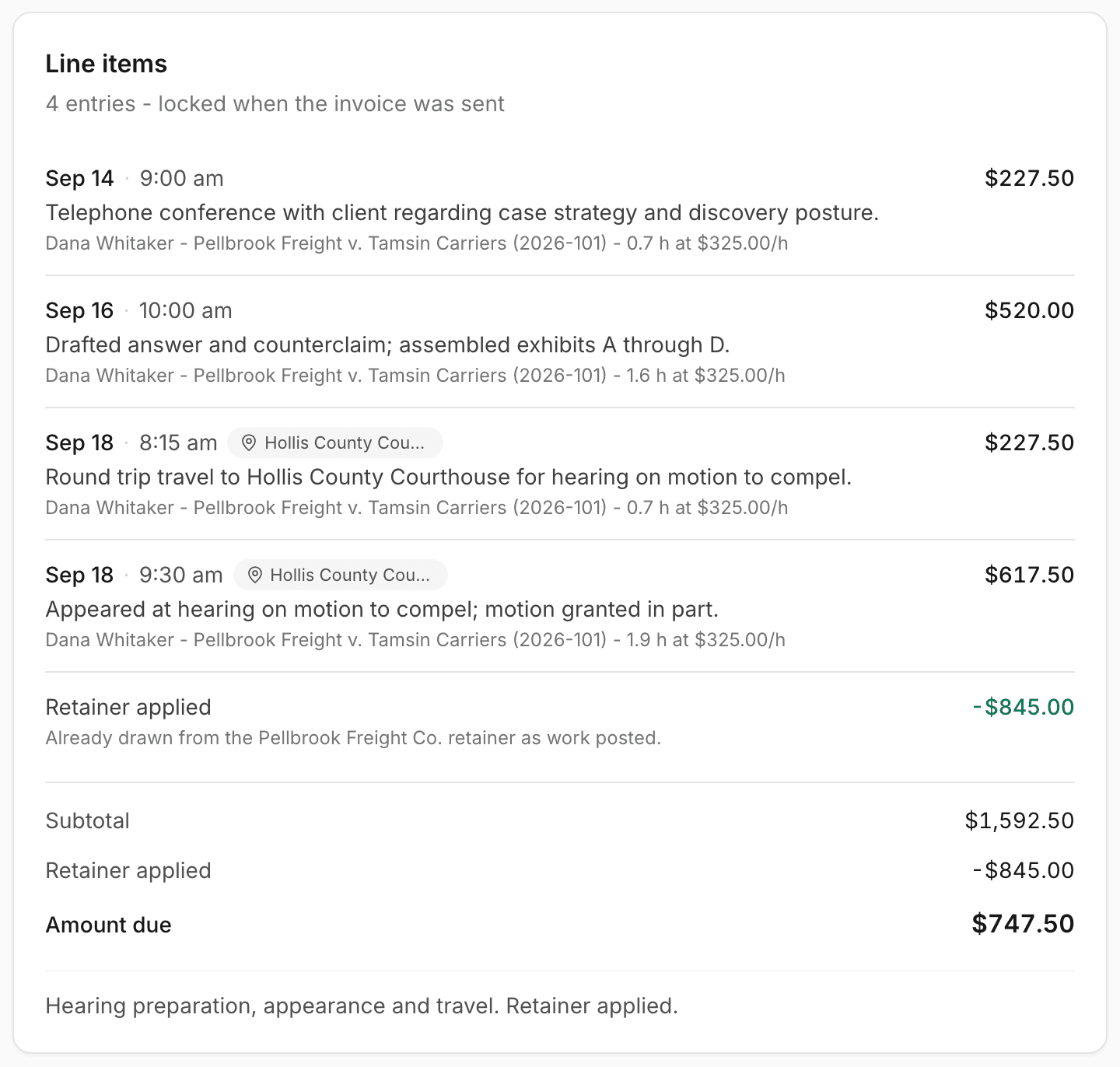
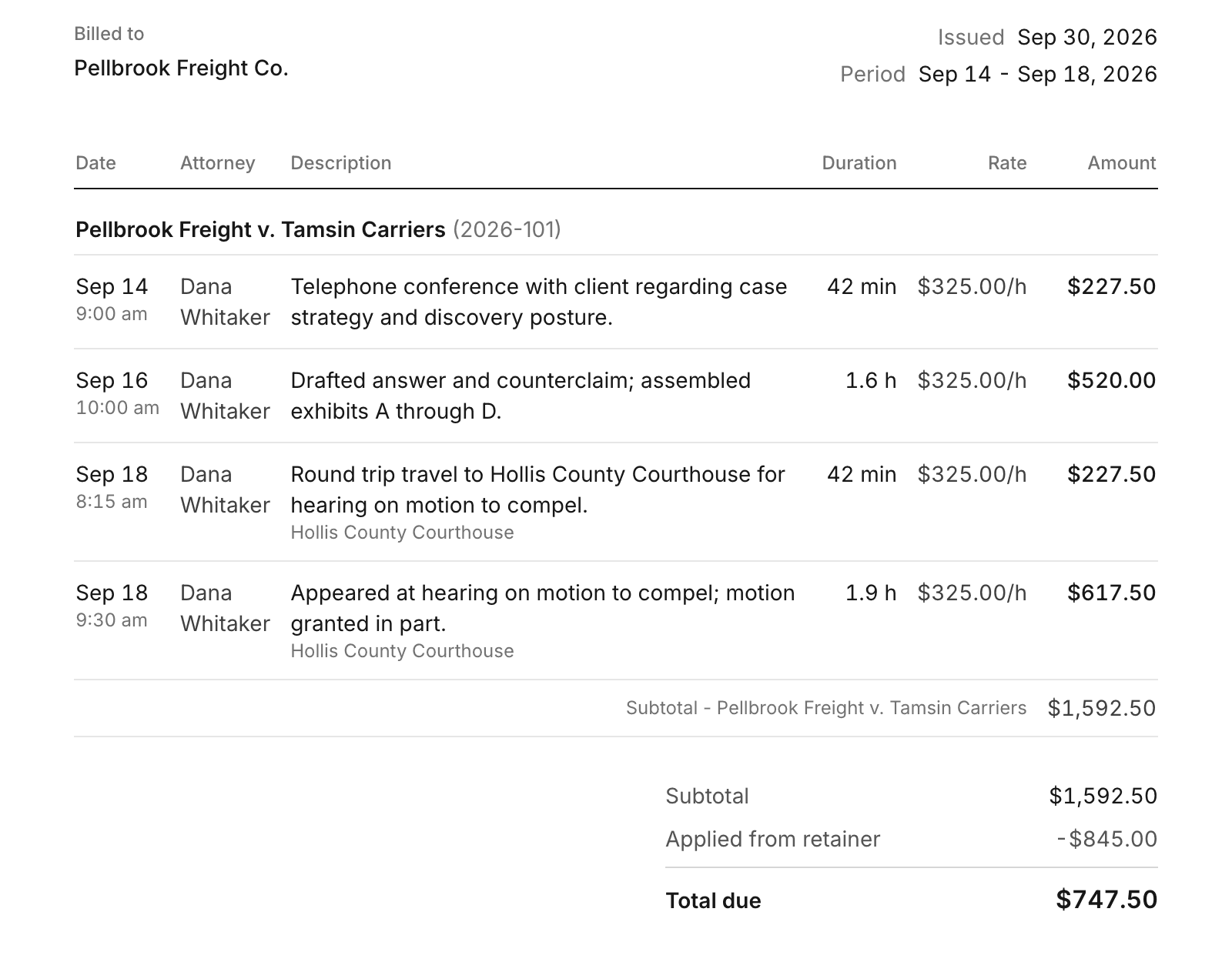
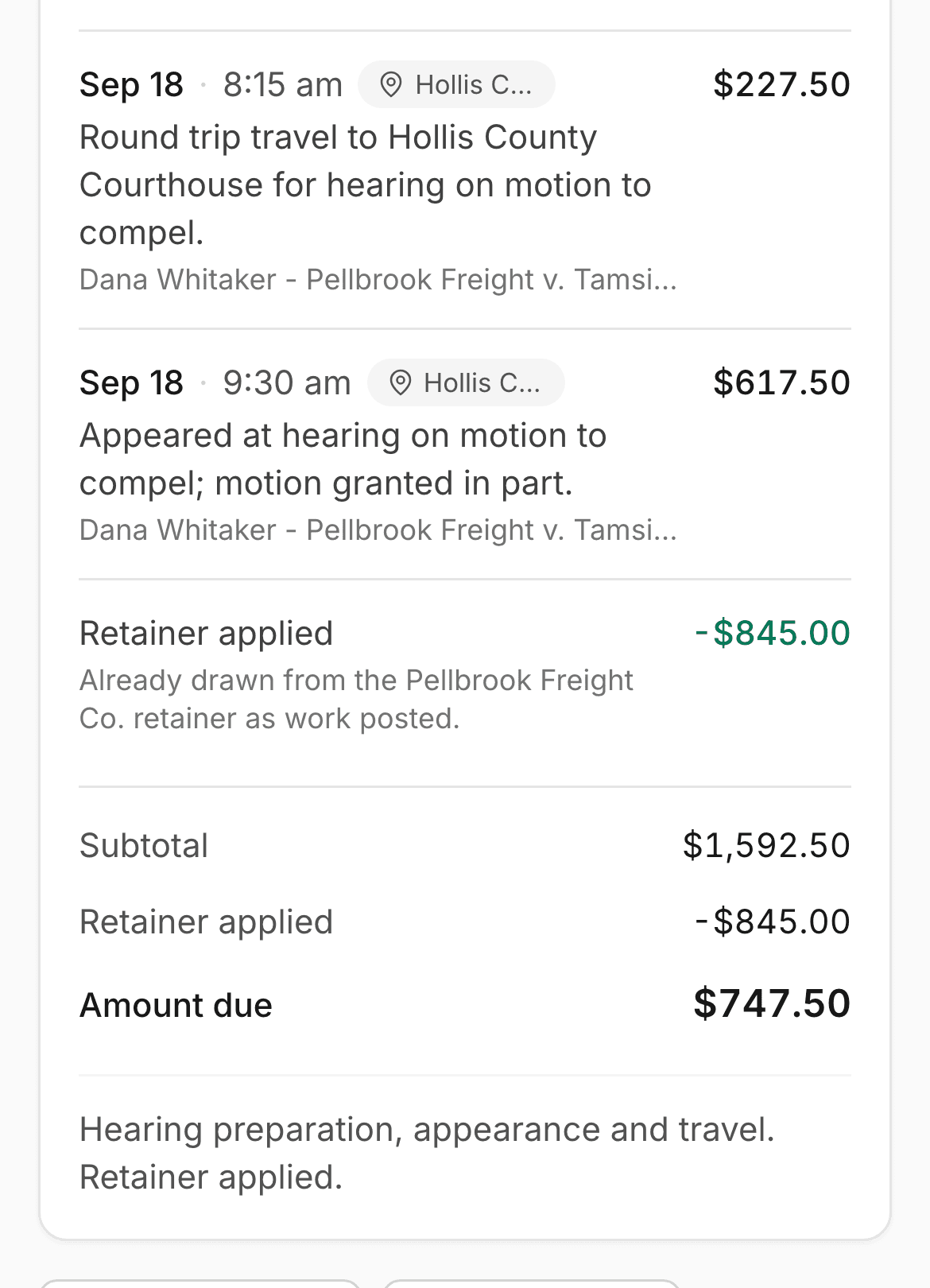
A sent invoice on a phone: the retainer applied and $747.50 left to pay
  • Retainers apply on their own, and a sent invoice locks its lines.
  • Record payments, void with a paper trail, and print a clean copy for your client.
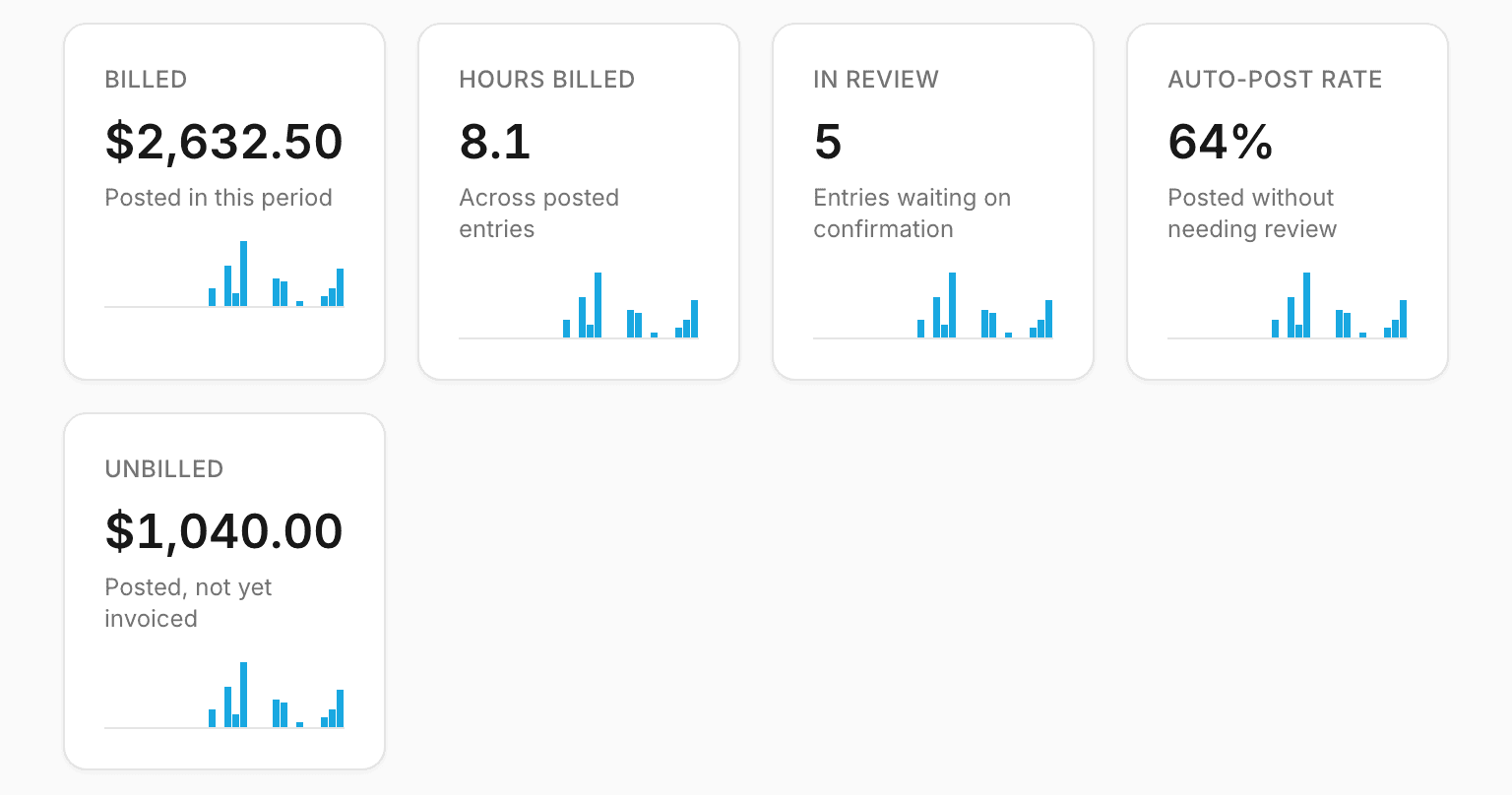
  • Reports for the period you pick, and export to CSV or LEDES 1998B.

The arithmetic

What fifteen minutes a day is worth

Put in your own numbers. We do not have customer results to quote, so this is only the math on your figures.

A worked example

One attorney. $350 an hour. Fifteen minutes a day that would otherwise go unbilled. 20 working days a month.

  1. 0.25 hours x $350 = $87.50 a day
  2. $87.50 x 20 days = $1,750 a month
  3. $1,750 x 12 months = $21,000 a year
Your numbers

0 to 10,000

0 to 120

1 to 50

1 to 31

What that comes to

Per day
$87.50
$350 x 15 min / 60 x 1 attorney
Per month
$1,750
$350 x 15 min / 60 x 1 attorney x 20 days
Per year
$21,000
$350 x 15 min / 60 x 1 attorney x 20 days x 12 months

Each figure is worked from your exact numbers and rounded once, to the nearest cent.

These are estimates on the numbers you enter, not a promise. How many minutes eLegal Stack helps you recover depends on how your attorneys work.

AI, if you want it

AI is optional. eLegal Stack runs fully without it.

Everything above works with AI switched off, and AI starts off for every firm. If your firm turns it on, it takes some of the typing off your plate.

Works with AI off

  • Drive capture and billing locations
  • Dictation and recording, billed from your own one-line summary
  • Typed entries, the review queue and rules by activity type for captured work
  • Invoices, retainers, payments, reports and LEDES export

What it adds when your firm turns it on

  • Your dictation is transcribed, and a billing narrative is drafted from the transcript.
  • A photo of a call log becomes an entry for each call on it, and a photo of a text thread becomes one entry for the conversation.
  • A photo of handwritten notes becomes an entry on the client you picked.
  • A photographed business card becomes a new contact, saved only when you tap to confirm.

The rules that protect your client data

  • Nothing goes to an AI company until a firm owner or admin reads a disclosure naming each vendor and exactly what it receives, and accepts it.
  • If that disclosure changes, AI pauses until someone accepts the new one.
  • Mark any client or matter never-AI and the server refuses AI for it, whatever the firm setting says.
  • AI is refused until a capture is linked to a client or matter. A business card is the one exception, and the disclosure says so.
  • AI calls and refusals are recorded in a log that holds the vendor, the decision and, for calls, the size and a fingerprint of what was sent. It never holds the content, and it prints as a report per client or matter.
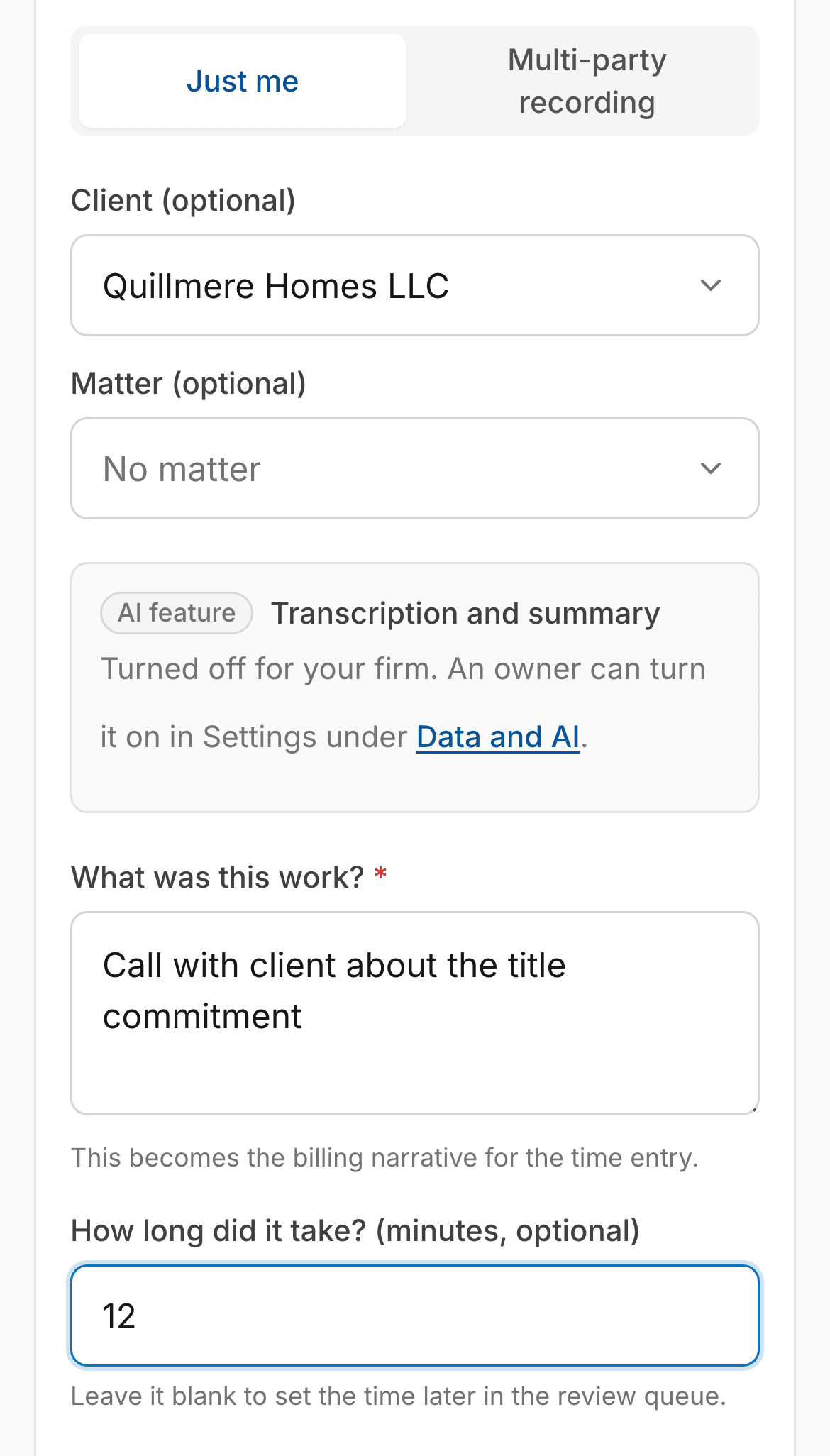
The Dictate screen on a phone with the AI feature card reading Turned off for your firm, above a typed one-line summary and the minutes
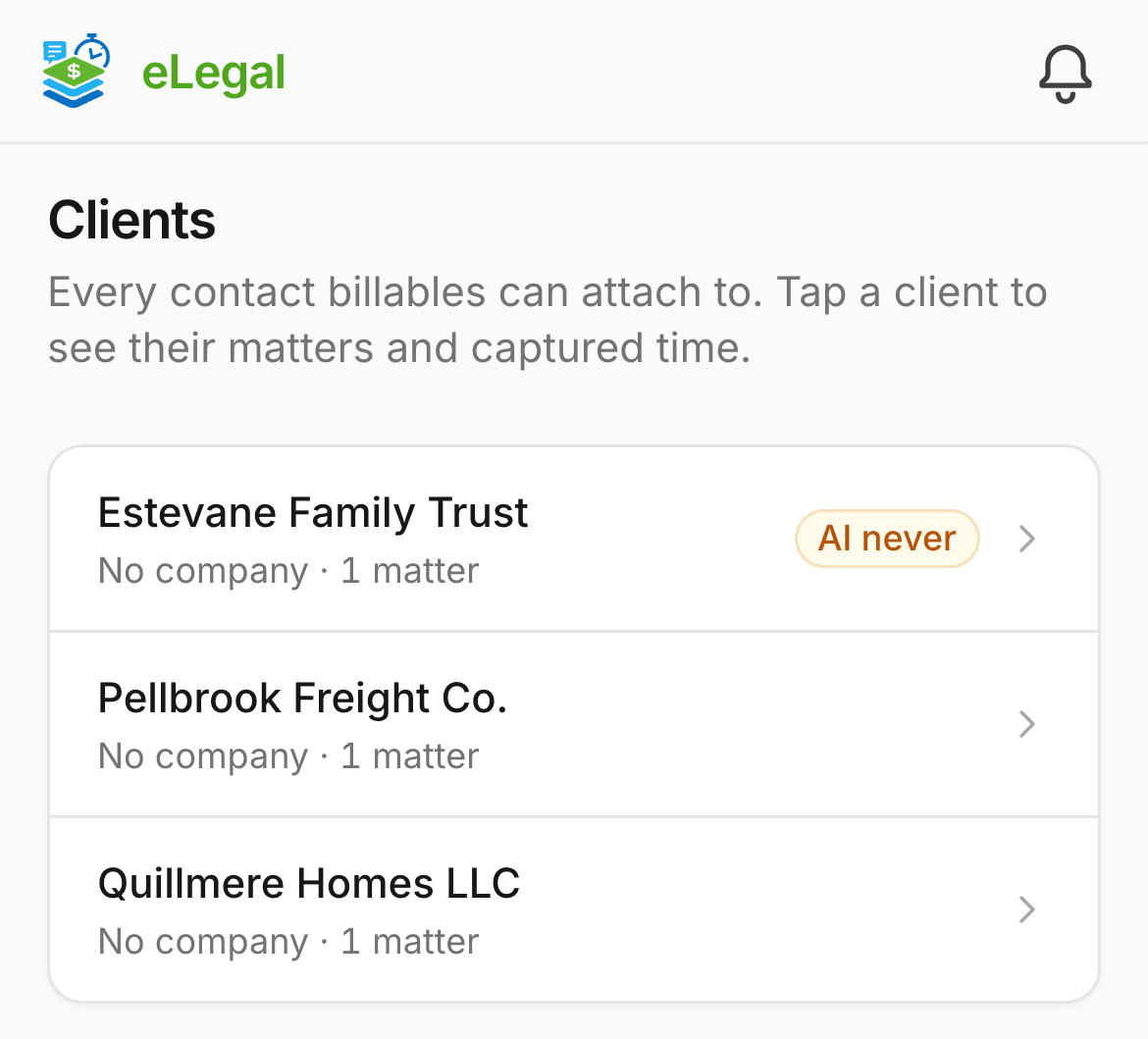
The Clients list on a phone with one client, Estevane Family Trust, marked AI never

Straight answers

What eLegal Stack will not do

It will not read your phone's call history or texts.
eLegal Stack does not ask for access to your call history or texts. Log a call from your phone on the New time entry form instead.
It will not keep a recording your firm's consent rule does not allow.
A multi-party recording reads a spoken consent notice aloud as it starts. If the browser cannot, the app asks the attorney to read it aloud. Under the all-party rule, if anyone declines, the audio is never uploaded and the refusal is kept on file.
It will not post uncertain time on its own.
Low confidence, no matter, no rate or no time means the entry waits in review until a person decides.
It will not track drives in the background yet.
Drive capture works while the app is open on screen. Tracking with the phone locked needs a native app, and it is on the list below.

What we do not have yet

We are not SOC 2 certified, and we have not been through a third-party security audit. We will tell you when that changes.

Coming, no dates promised

  • Background drive tracking in a native app
  • Email capture
  • Our own private transcription server for dictation audio

Security and privacy

Where your client data goes, in plain rows

No badges we have not earned. Just what the software does, row by row.

AI
Off unless your firm turns it on. What it sees, and the rules around it, are set out in the section above. Go to AI is optional
Maps
To put a billing location on the map, its address text, from the house number on, goes to the US Census geocoder and, if Census cannot place it, to Mapbox when Mapbox is set up. The same happens to a meeting's venue if your firm connects a calendar. eLegal Stack adds no client, matter or firm name to it.
Who can read what
Row-level security in the database keeps each firm's records separate. Paralegals see only the matters they are assigned to, plus entries not yet matched to a matter.
Your evidence
Recordings, photos and transcripts are stored in eLegal Stack and are not sent to your CRM. If your firm connects CRMstack, only contacts, matters and invoice summaries go to it.
Sign-in
Two-step sign-in with an authenticator app for every user, and a firm owner or admin can require it for everyone.
Where it lives
The database is hosted by Supabase and the app runs on Vercel.
Other services
Stripe, only if your firm creates online payment links. It receives the invoice amount and description and internal IDs. Account emails, like invitations and password resets, go out through Resend and carry an email address and a link.

Pricing

Priced per firm, not per person

Two plans, one price for your whole team. Usage is billed at what it costs us, plus 25 percent, and every line shows on your statement.

Capture

$97 a month per firm

Standalone time capture and billing. No CRM needed.

  • Drive time, dictation and typed entries, suggested for the right client and matter
  • A review queue for anything it isn't sure about
  • Invoices, retainers, payments and LEDES export
  • AI, only if your firm turns it on, at cost plus 25 percent

CRM Sync

$297 a month per firm

Plus texts and calls at cost plus 25 percent.

Everything in Capture, plus a CRMstack account for your firm.

  • Everything in Capture
  • A CRMstack account for your firm, connected to eLegal Stack
  • Clients, matters and invoice summaries sent from eLegal Stack to CRMstack
  • Contacts brought in from CRMstack

Enterprise

Custom pricing

For firms that need more than CRM Sync. We set the plan and the price with you.

Book a demo

Email info@no-bsm.com and we'll set up a time.

How a month adds up

Here's an example CRM Sync firm, so ya'll can see how the charges add up. It's an illustration, not a quote.

This month the firm sent and received 400 texts, made 250 minutes of calls, kept one local number and used $8.00 of AI. Carrier fees and the monthly text registration fee are not included.

CRM Sync plan
$297.00
AI$8.00 cost plus 25 percent ($2.00)
$10.00
Texts and calls, at most$8.29 cost plus 25 percent ($2.07)400 texts $2.99, 250 call minutes $4.15, 1 local number $1.15
$10.36
Total for the month
$317.36

On Capture, the same firm pays $97.00 for the plan plus $10.00 of AI, or $107.00 in all. Capture doesn't include CRMstack, so there are no text or call charges.

Text and call rates

CRM Sync only. CRMstack's published rate for each text and call, and what you pay with our 25 percent.

Text and call rates for the US and Canada: the CRMstack published rate and the most you pay
What it isCRMstack published rateYou pay, at most
Text message, per segment, sent or received$0.00747$0.0093
Picture message sent, per segment$0.022$0.0275
Call minute, outgoing$0.0166$0.0208
Call minute, incoming$0.01165$0.0146
Call recording, per minute$0.0025$0.0031
Call transcription, per minute$0.024$0.03
Local phone number, per month$1.15$1.44
Toll-free number, per month$2.15$2.69

We bill what CRMstack actually charges us for your firm, plus 25 percent. These are its published rates as of September 29, 2026. Your invoice follows the actual charge.

Carrier fees and text registration fees pass through at cost plus 25 percent too.

We add the 25 percent once to each month's total, so a bill can differ from these per-unit figures by a cent.

Questions

Questions attorneys ask

How do we get started?

Create your firm on the sign-up page with your firm name, your email and a password, then open the confirmation link we email you. Setup is self-serve. Then invite your team.

Do we have to use AI?

No. eLegal Stack runs fully without it, and it starts off for every firm.

See what AI adds, if your firm turns it on
Does it read my calls and texts?

No. eLegal Stack does not ask for access to your call history or texts. Log a call from your phone on the New time entry form instead.

Will it post time without us?

That is a setting for each attorney. Confident entries can post on their own, or wait for one tap. Anything uncertain lands in the review queue first.

Does it work with our calendar?

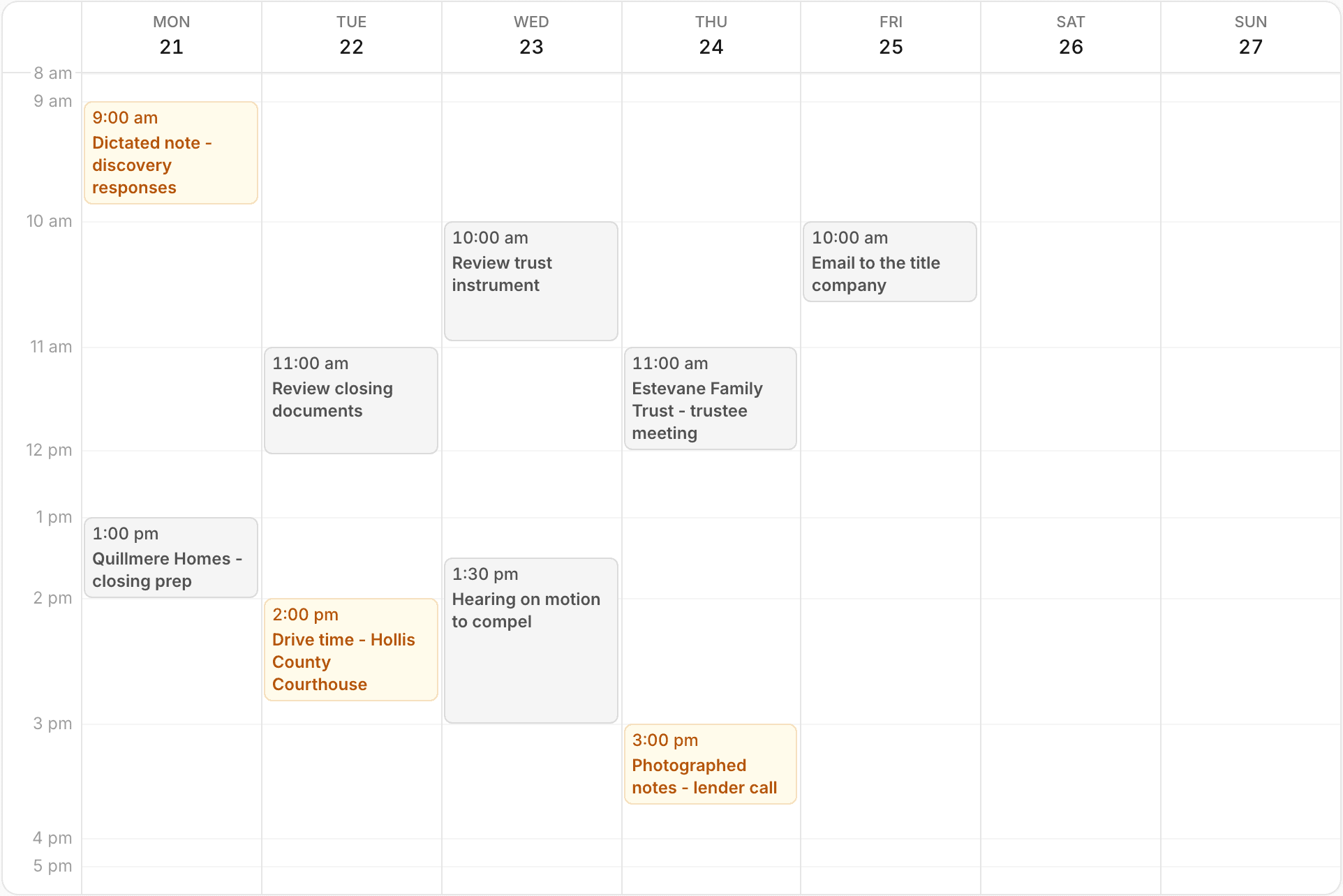
A read-only calendar connection is built for Google Calendar and Microsoft 365. It is not open to every firm yet, so ask us where it stands for yours.

Can we import our contacts and export our time?

Yes. Import contacts from a CSV file, and export time entries to CSV or LEDES 1998B any time.

What does it cost?

See the pricing section above.

Go to pricing
Is my client data safe?

Where your client data goes is set out row by row above. We are not SOC 2 certified, and we have not been through a third-party security audit.

Go to the data rows

See it on your own matters

Create your firm and log a real day, or book a walkthrough and we will show you around first.

Or emailinfo@no-bsm.com